Directional Reports
Generate a PDF containing the well reference, directional survey stations, planning information, and selected supporting engineering data.
 Explore Demo
Reports & Wall Plots
Generate directional planning reports, anti-collision reports, and customizable wall plots directly from DirectionalPlan.
Select the engineering information to include, configure report options, and export finished documents as PDFs. Survey stations can also be exported in CSV and TXT formats.
Engineering Reports
Review the available report types and the engineering information included in each.
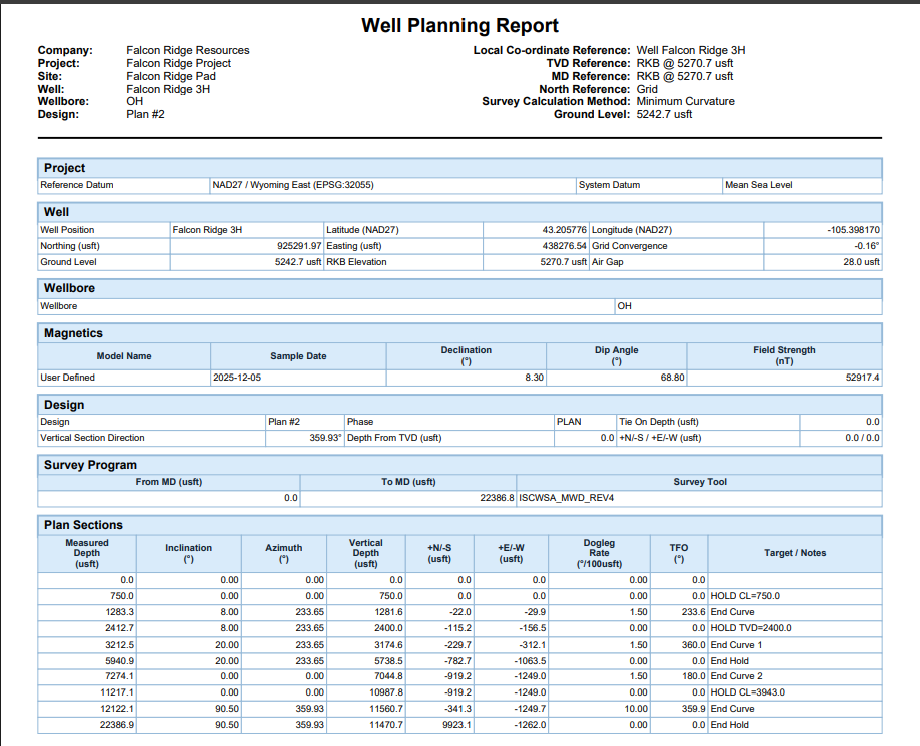
Generate a PDF containing the well reference, directional survey stations, planning information, and selected supporting engineering data.
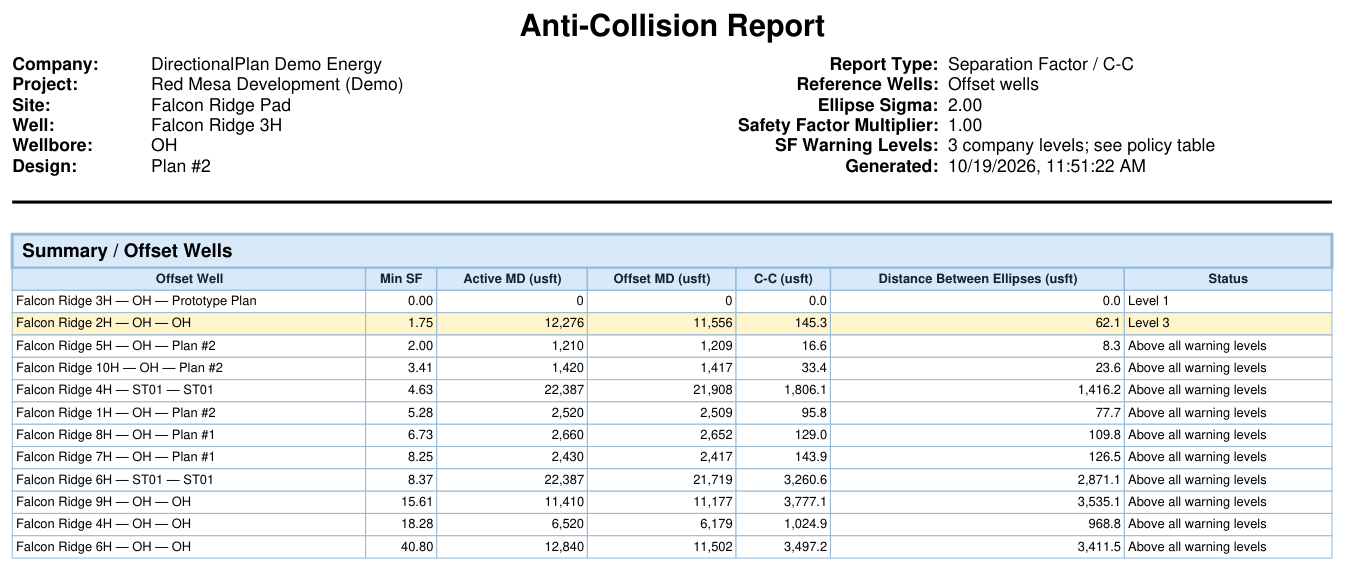
Generate offset well summaries and detailed separation results, including center-to-center distance, separation factor, warnings, and selected survey columns.
Report Configuration
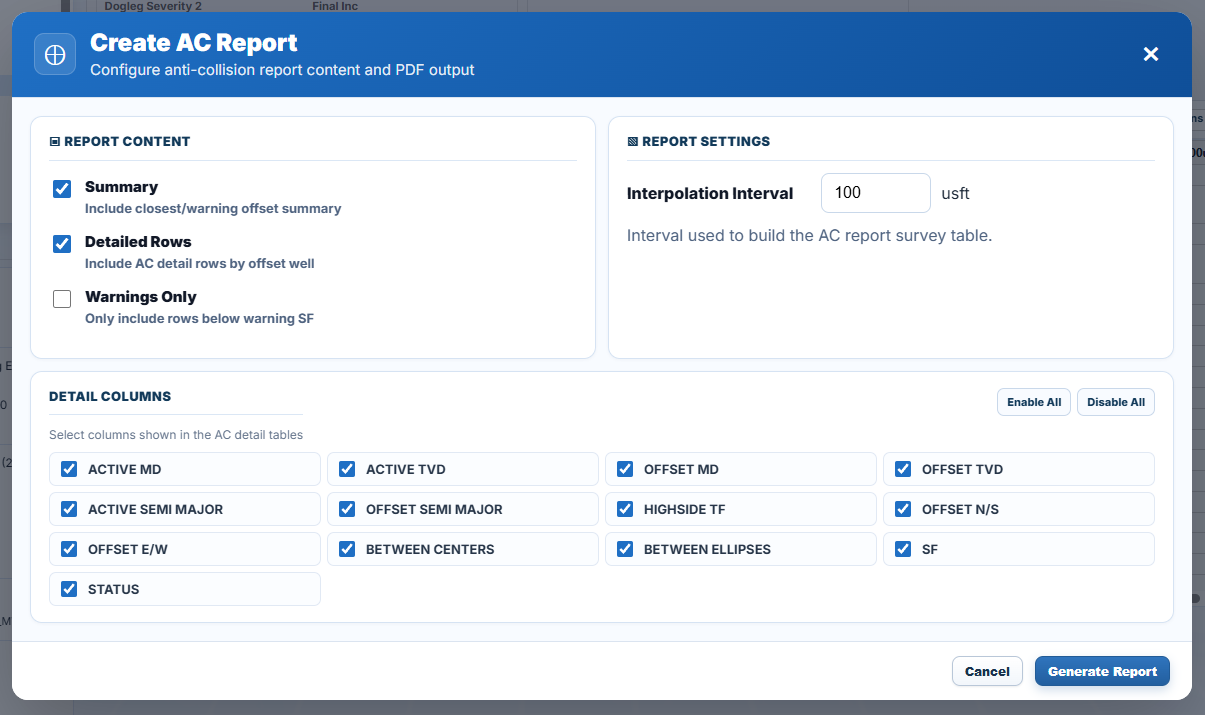
DirectionalPlan provides options for selecting the information included in each report before generating the PDF.
Depending on the report type, engineers can select survey columns, interpolation intervals, summary and detailed sections, and available formatting options.
Wall Plot Composer
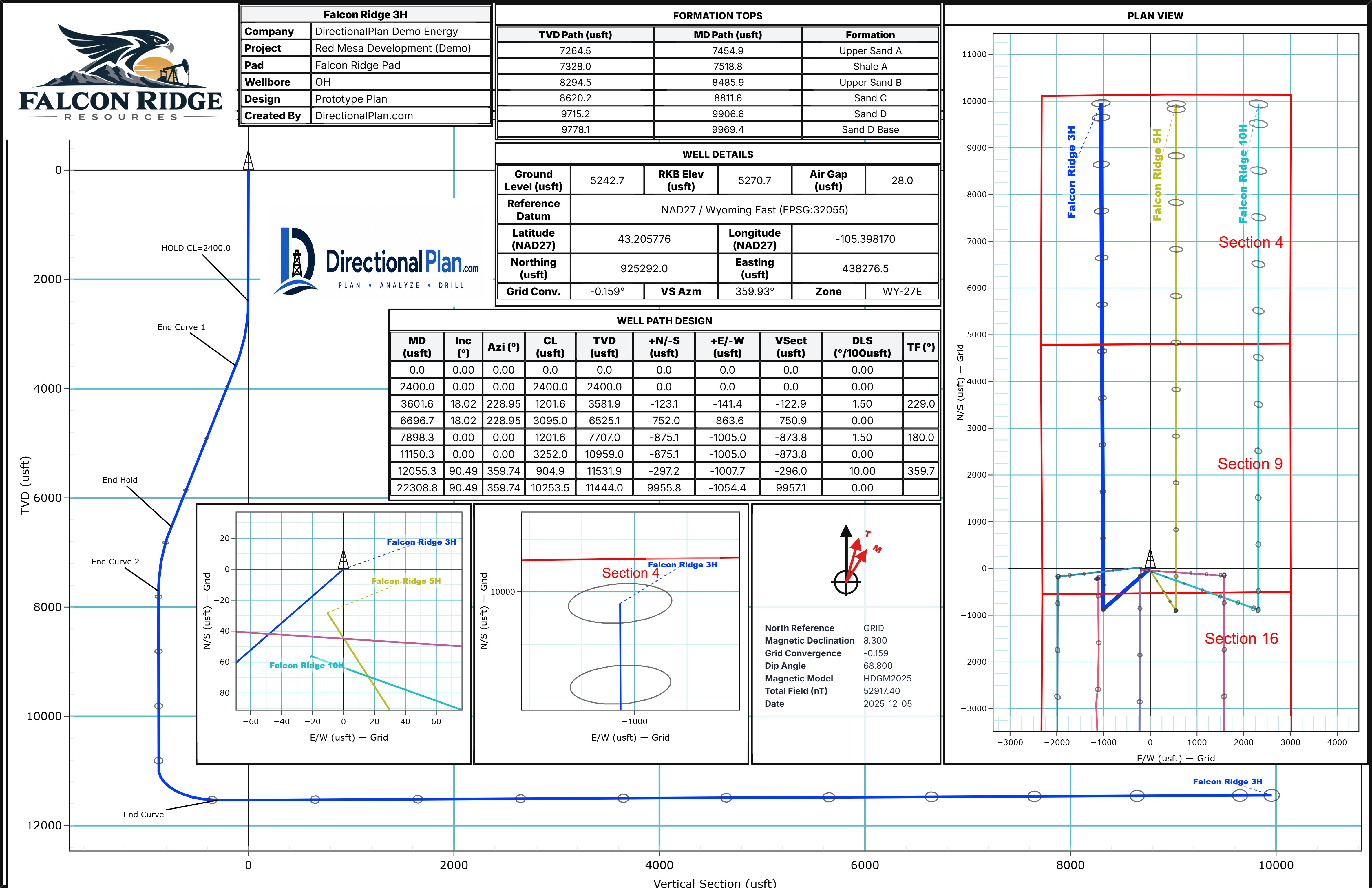
Arrange graphs, engineering data, and other report elements on a customizable wall plot. Select an option below to see the available controls.
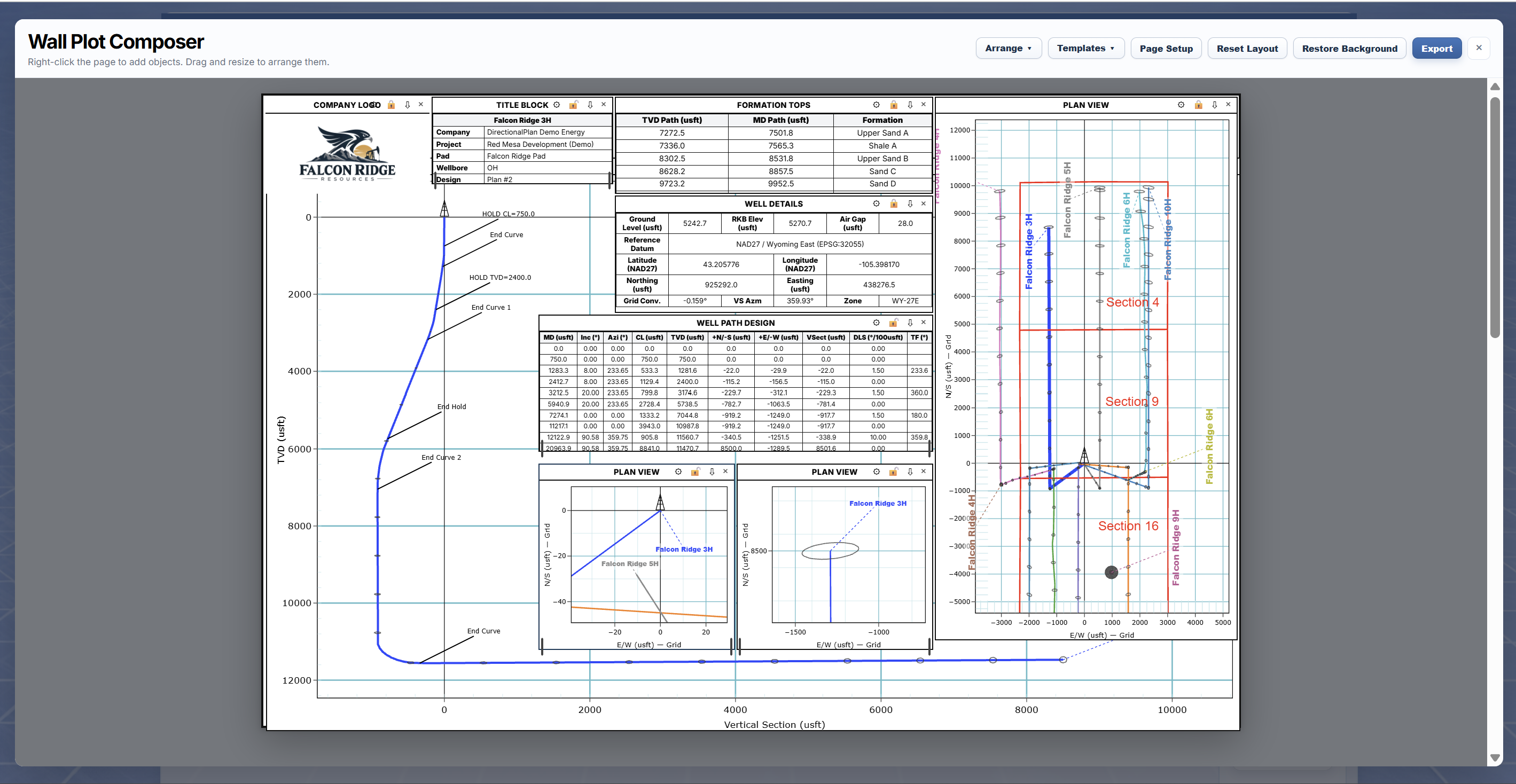
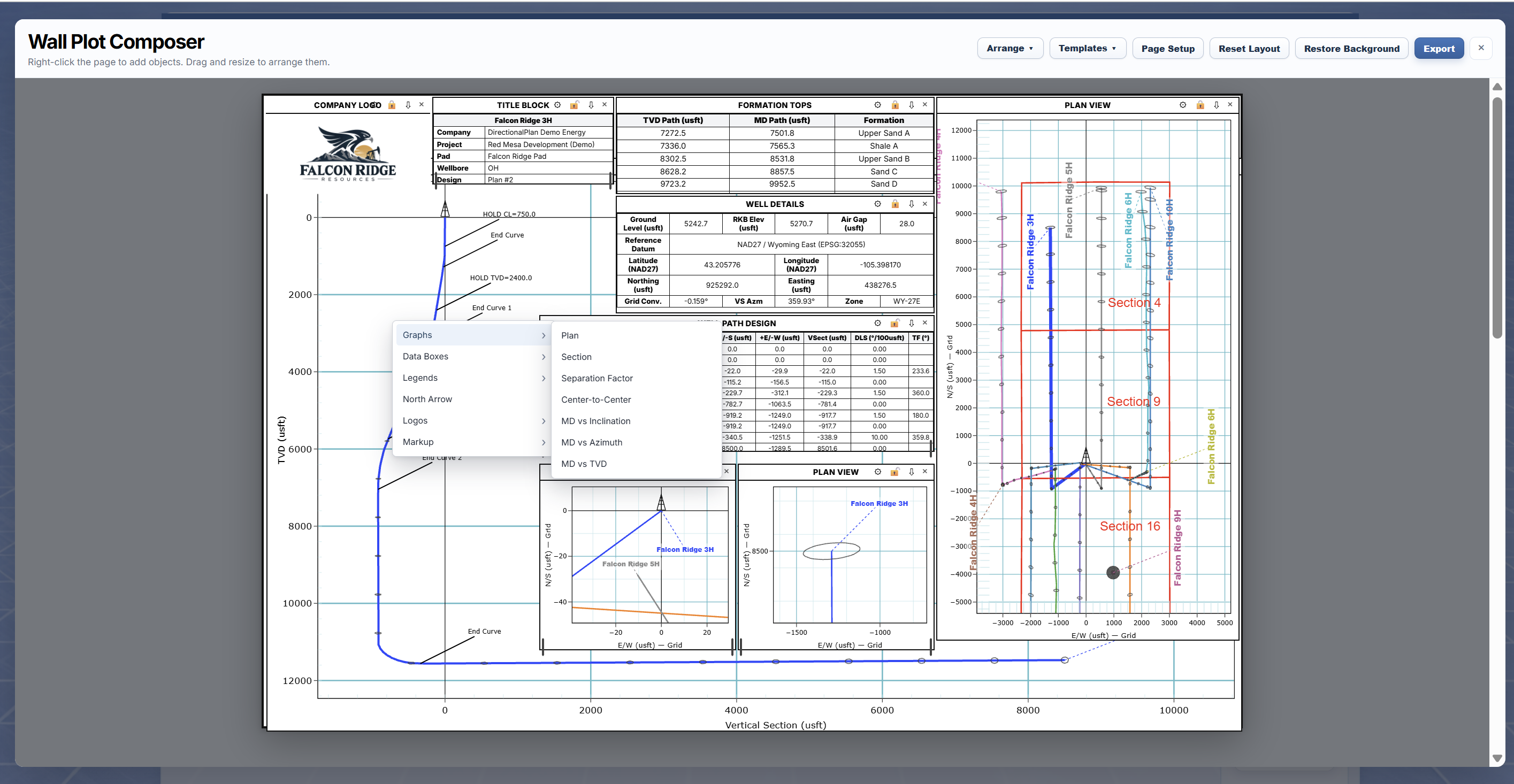
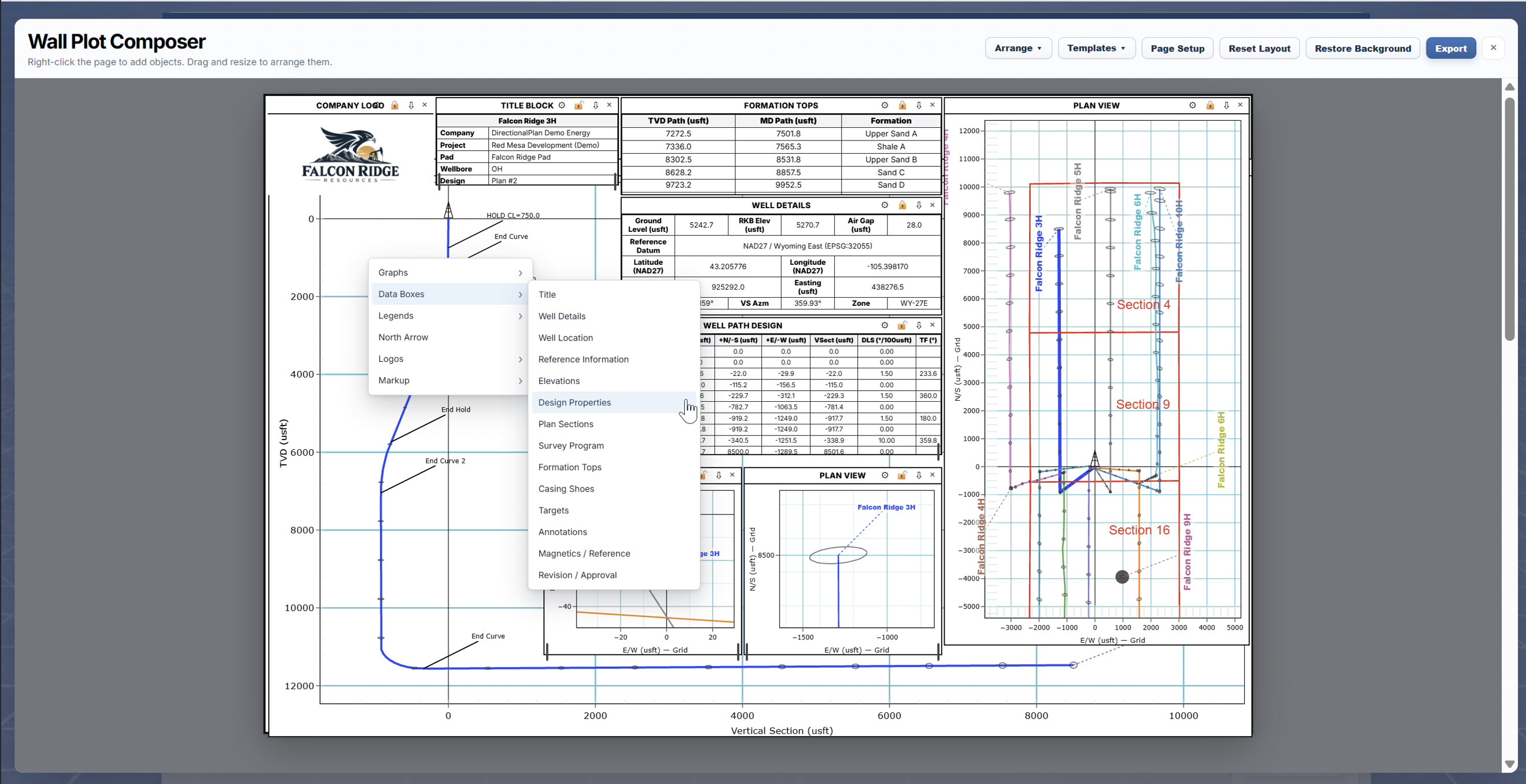
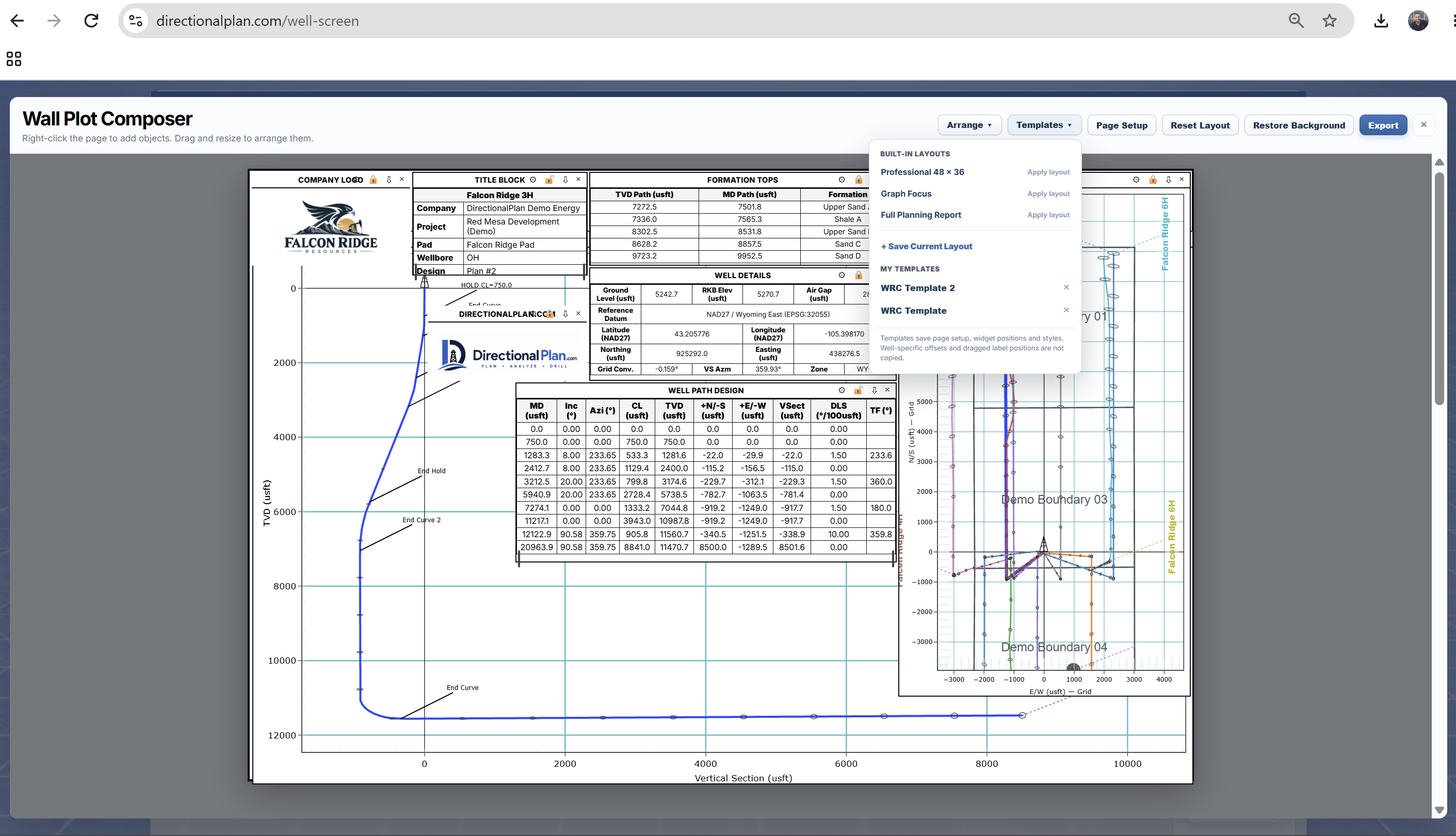
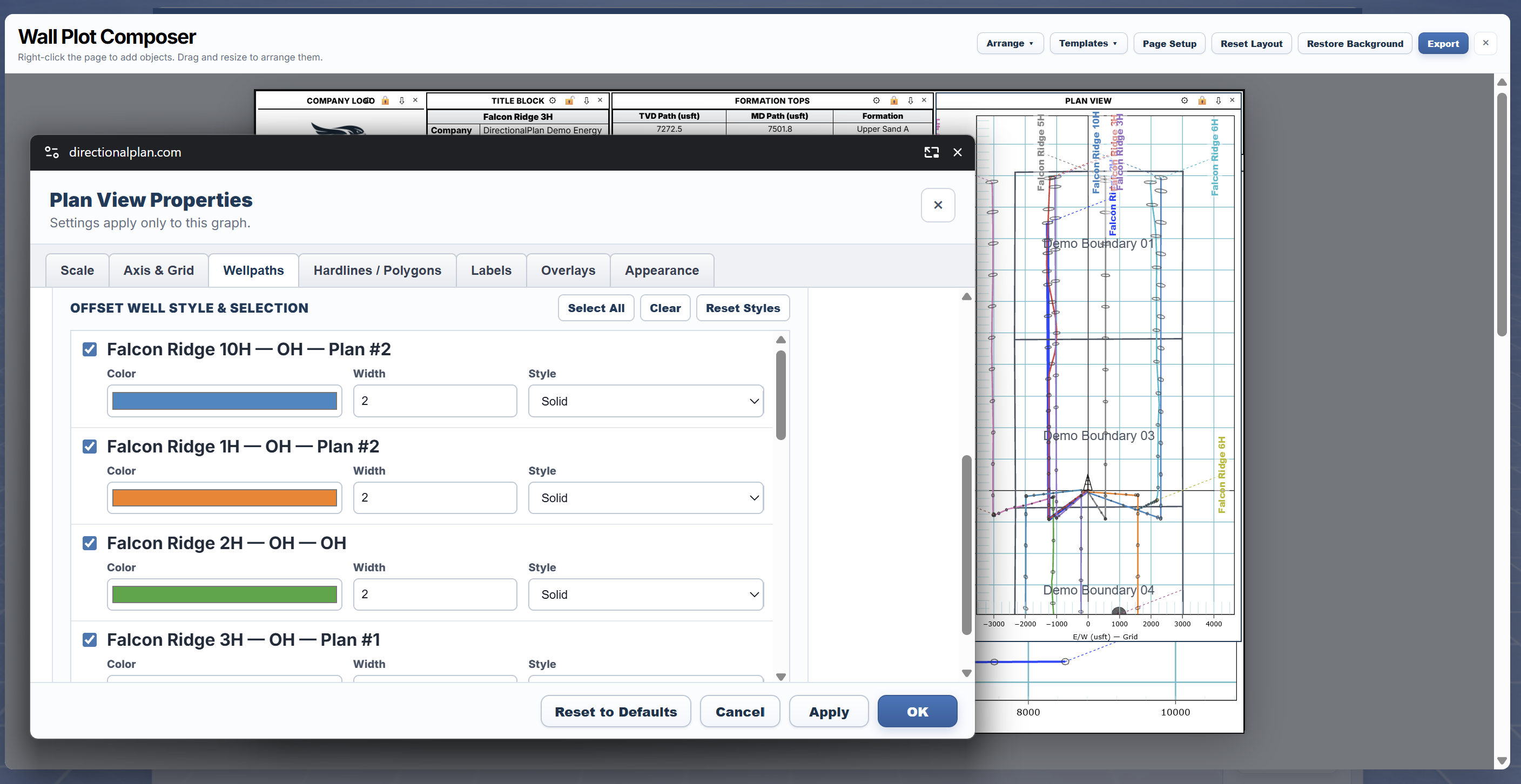
Configure page size, orientation, margins, graph properties, and reusable layouts before exporting the finished wall plot as a PDF.
View Example Wall Plot (PDF) →Survey Data Export
In addition to PDF reports, DirectionalPlan can export directional survey data for use in spreadsheets and other engineering applications.
Export selected survey columns into a comma-separated file for use in Excel and other applications.
Generate a text-based survey file containing the selected directional station information.
Available survey columns include MD, inclination, azimuth, TVD, northing, easting, vertical section, and dogleg severity.
Example Documents
Open the sample documents to see the information produced by DirectionalPlan.
Offset summaries and detailed separation results
View Report → PDFPlan, section, formations, and well information
View Wall Plot → PDFWell references, directional surveys, formation tops, targets, and annotations
View Report → CSVExample directional survey stations exported at 100-foot intervals
Download CSV ↓Get Started
Open the demo to explore directional planning, report generation, and wall plot tools.