
DirectionalPlan Features
Directional Well Planning, Anti-Collision, and Engineering Analysis Tools
From trajectory design and anti-collision analysis to survey corrections and engineering reports, DirectionalPlan brings the well-planning workflow together in your browser.
Explore the Capabilities
Jump to a capability to explore its tools.
Directional Well Planning
Design and Compare Well Trajectories
Create target-based directional plans using S-Well, Slant, Build/Turn, and other planning methods. Calculate survey stations and adjust the trajectory as design requirements change.
Compare alternative designs and review wellpath geometry in Plan, Section, and 3D views.
Explore Directional Well Planning →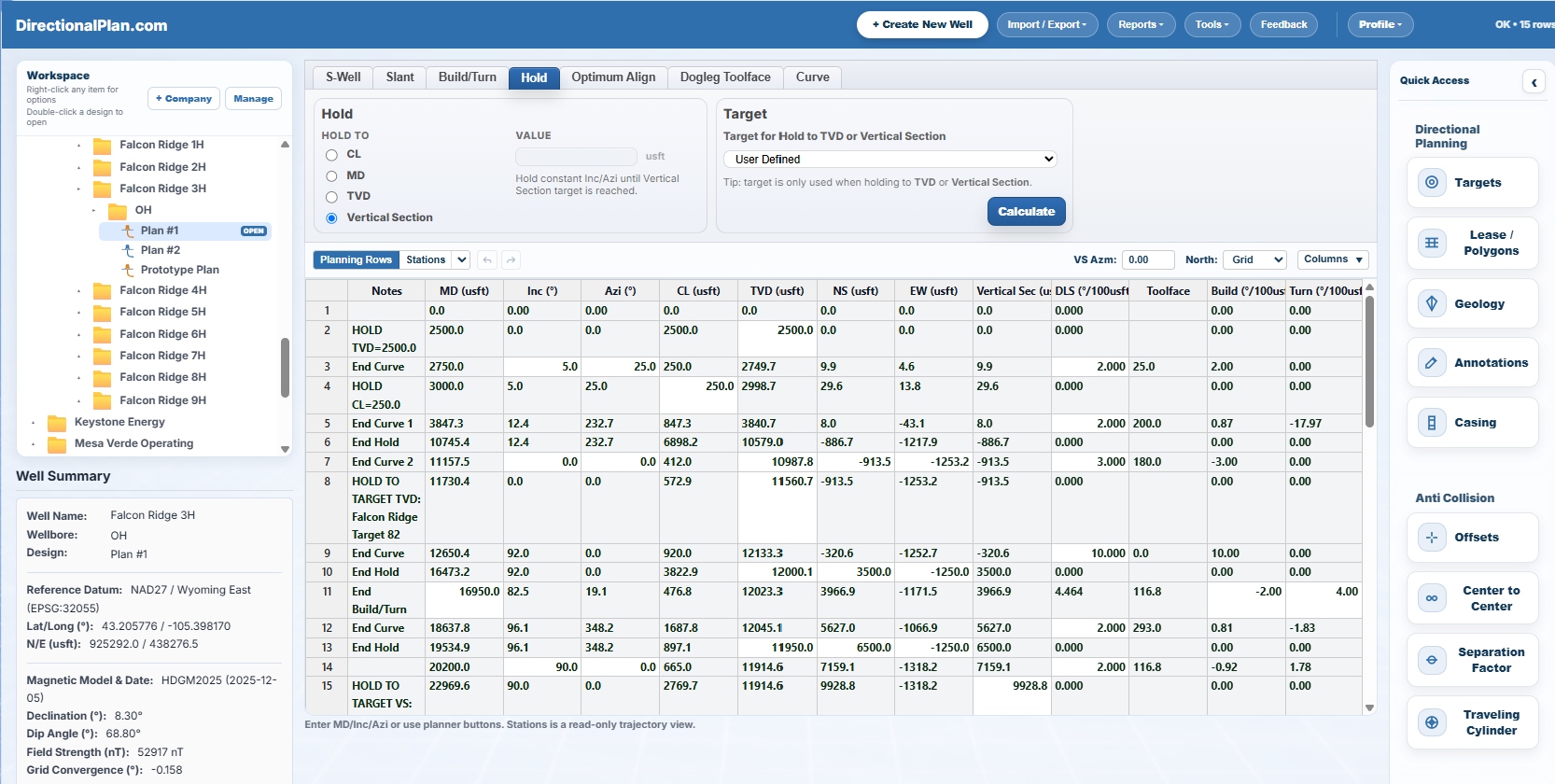
ISCWSA-Aligned Anti-Collision Analysis
Wellbore Separation and Positional Uncertainty
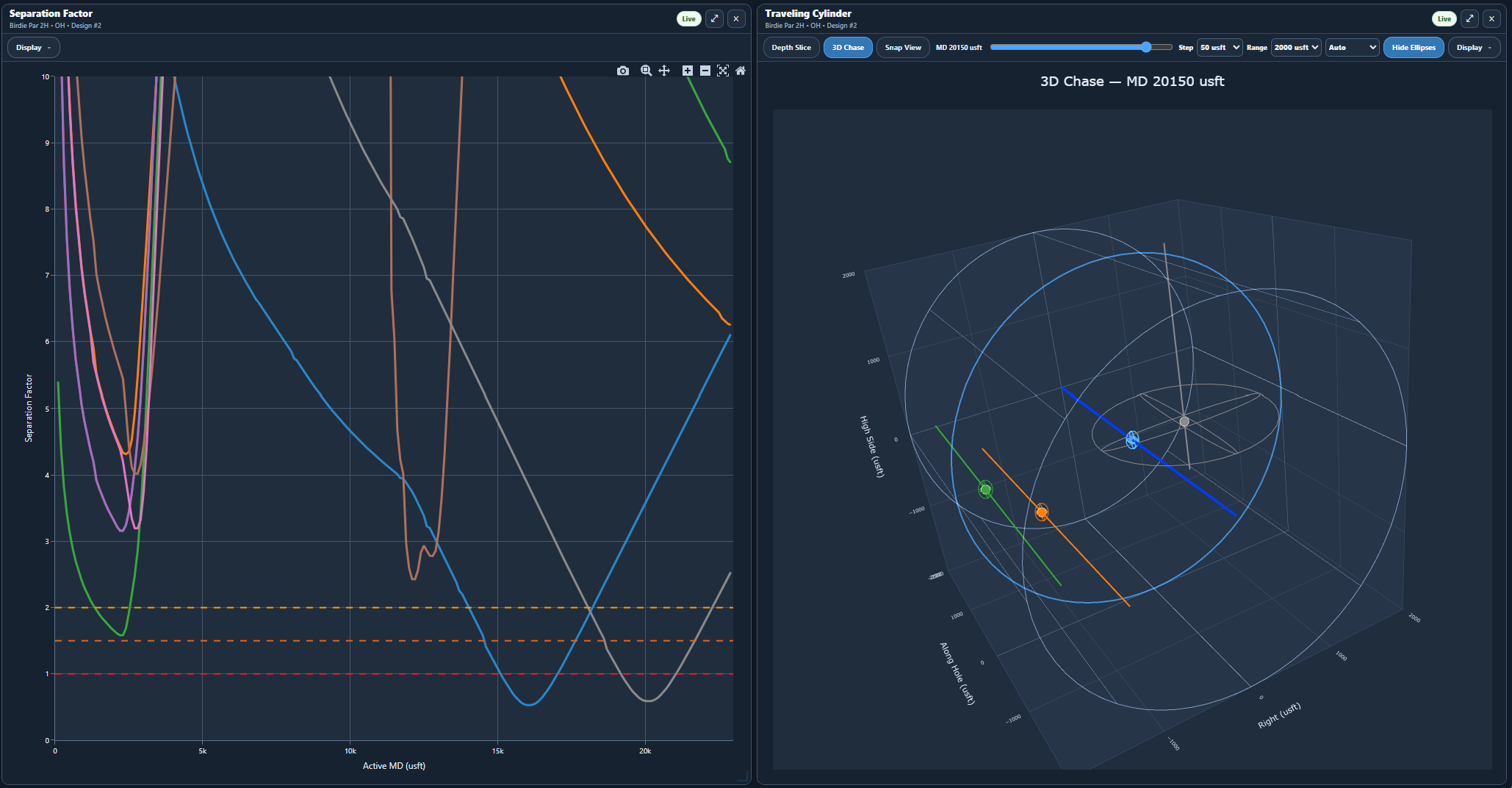
Evaluate planned trajectories against nearby offset wells using center-to-center distance, separation factor, and ISCWSA-aligned positional uncertainty modeling.
DirectionalPlan's uncertainty and clearance calculations have been benchmarked against published ISCWSA reference cases. Analyze separation trends, uncertainty ellipses, and potential wellbore proximity concerns using assigned survey error models.
Choose from built-in Instrument Performance Models (IPMs) or import compatible .IPM files. Review weighting functions and individual error terms used to calculate wellbore positional uncertainty and uncertainty ellipses for separation-factor analysis.
Survey Corrections
BetaSee how survey errors can affect wellbore position.
Analyze raw MWD measurements, investigate potential sensor errors, and compare raw and analyzed survey positions using graphical views and uncertainty information.
Understand how potential measurement corrections may influence the calculated position of your well.
Explore Survey Corrections →Beta analysis tool. Independent verification is required before operational use.
EDM Interoperability
EDM Project Import and Export
Import compatible EDM project files containing wells, wellbores, surveys, and designs. Continue planning in DirectionalPlan, then export EDM projects or directional well plans for Well Seeker.
EDM Project File
Wells, wellbores, surveys, and designs

DirectionalPlan
Edit, compare, and review well trajectories
File-based import and export; not a live connection or synchronization.
Explore EDM Interoperability →CAD Viewing & Boundary Import
View CAD Drawings and Import Boundaries
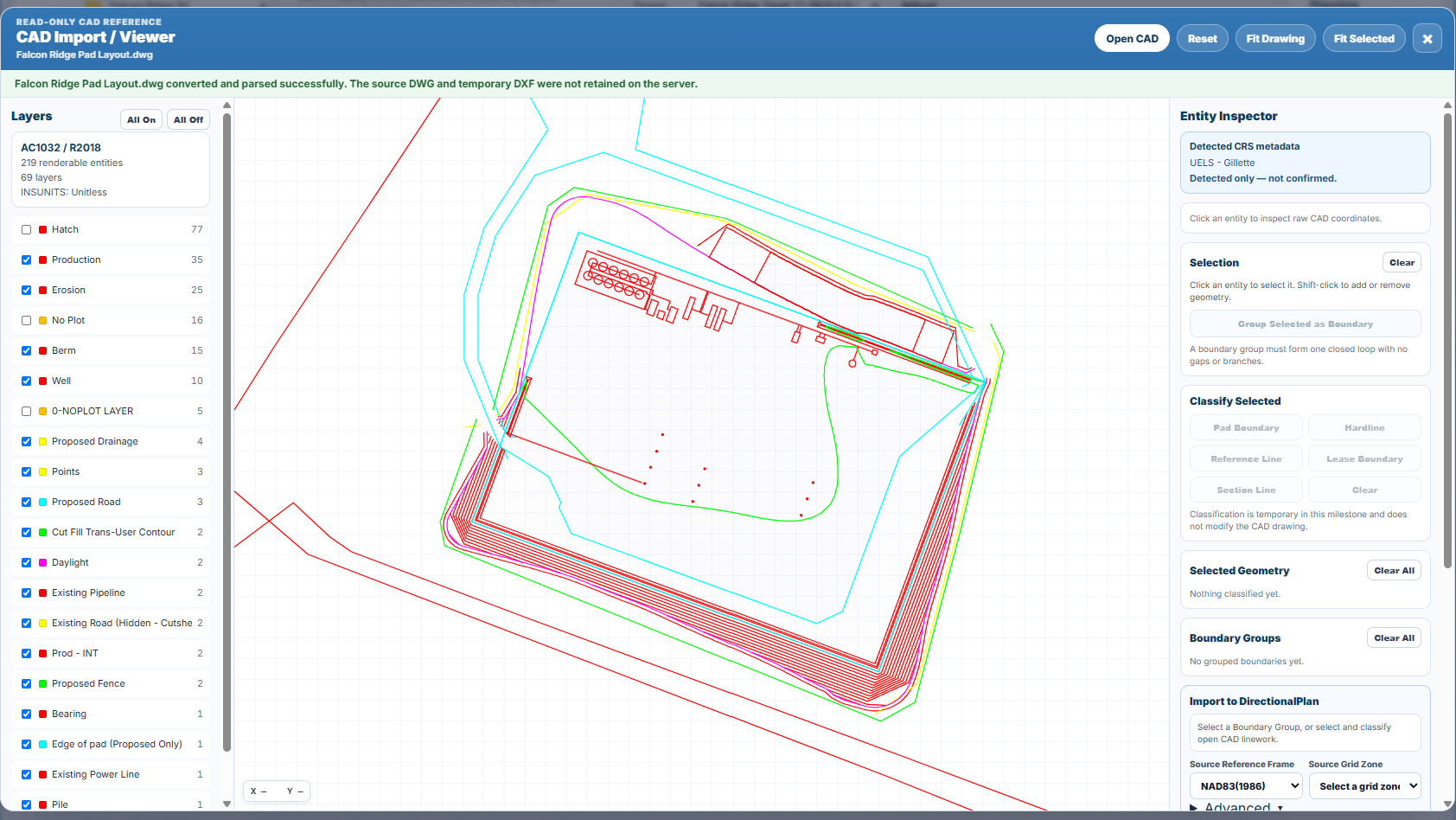
Open supported DWG files in a read-only CAD viewer to inspect drawing layers, site geometry, roads, and reference lines.
Select and classify relevant drawing entities, then import the selected boundaries into DirectionalPlan.
Reports & Wall Plots
Turn your well plan into a complete engineering deliverable.
Generate directional planning reports, anti-collision reports, and customizable wall plot PDFs directly from DirectionalPlan.
The Falcon Ridge 3H example combines a vertical section, plan view, formation tops, well path design, and well details into one layout.
Explore Reports & Wall Plots →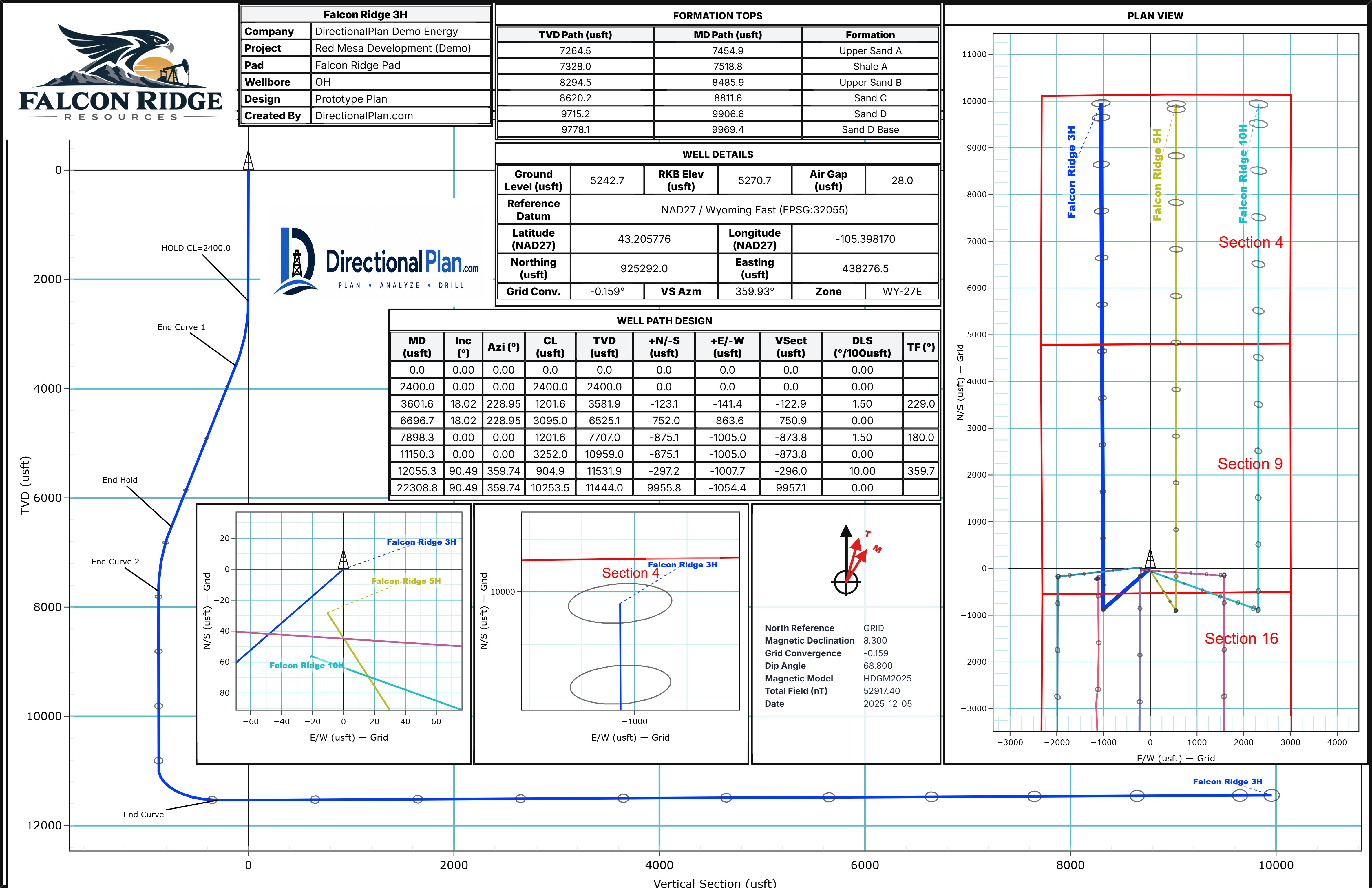
Get Started
See DirectionalPlan in action.
Try the browser planner with no account, or explore the Learning Center for guided software tutorials and engineering explanations.