
Directional Well Planning
Design and Compare Directional Well Trajectories
Build, visualize, and refine directional well trajectories with practical engineering tools directly in your browser.
Start from a surface location, define your targets, select a planning method, and evaluate the resulting well trajectory in plan, section, and 3D views.
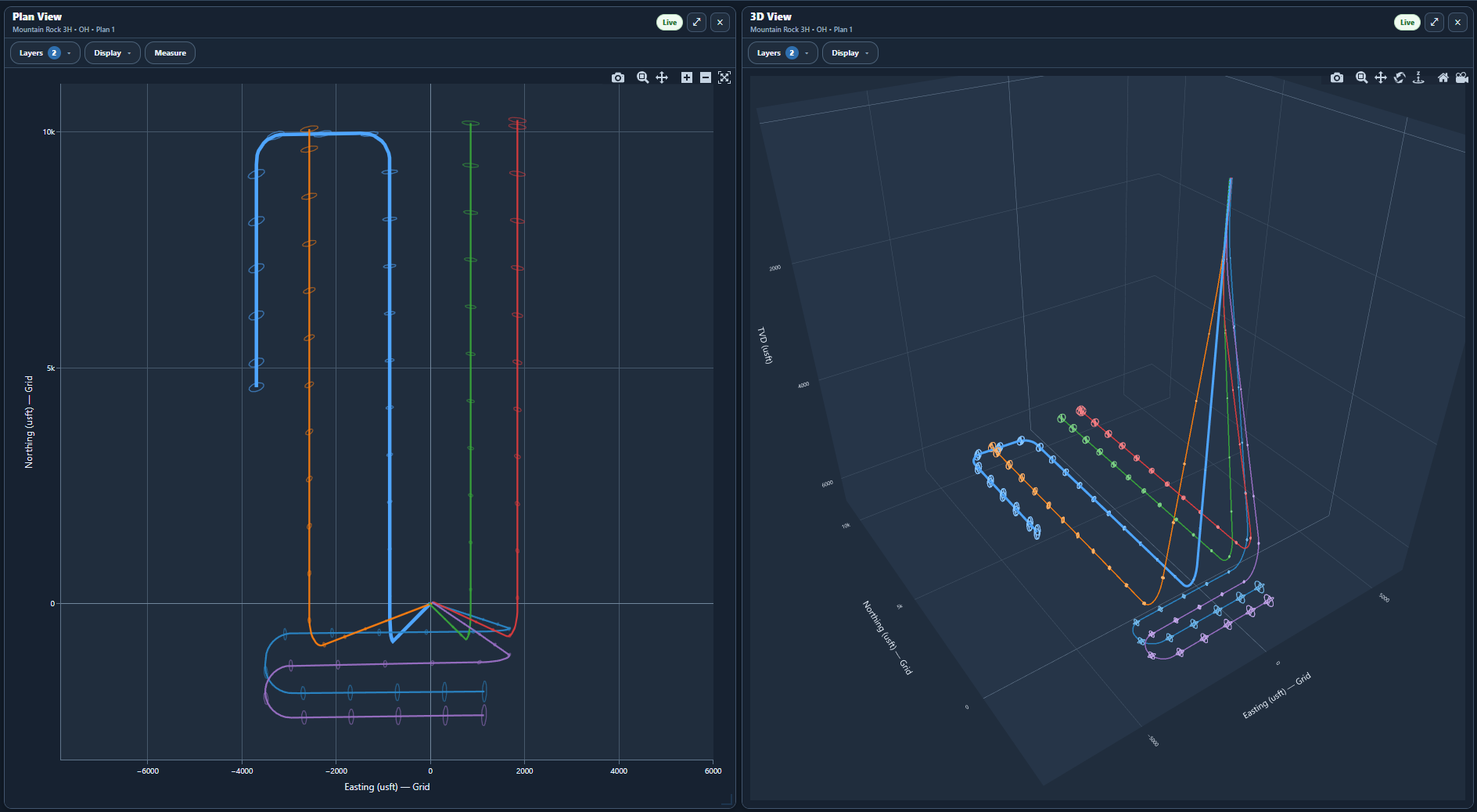
Well Planning Inputs
Targets, Boundaries, and Geology
Incorporate target geometry, lease boundaries, and formation tops into the directional planning process.
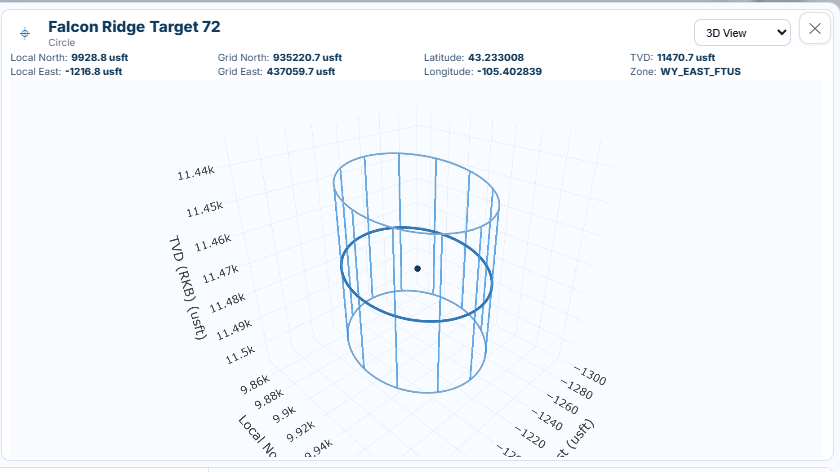
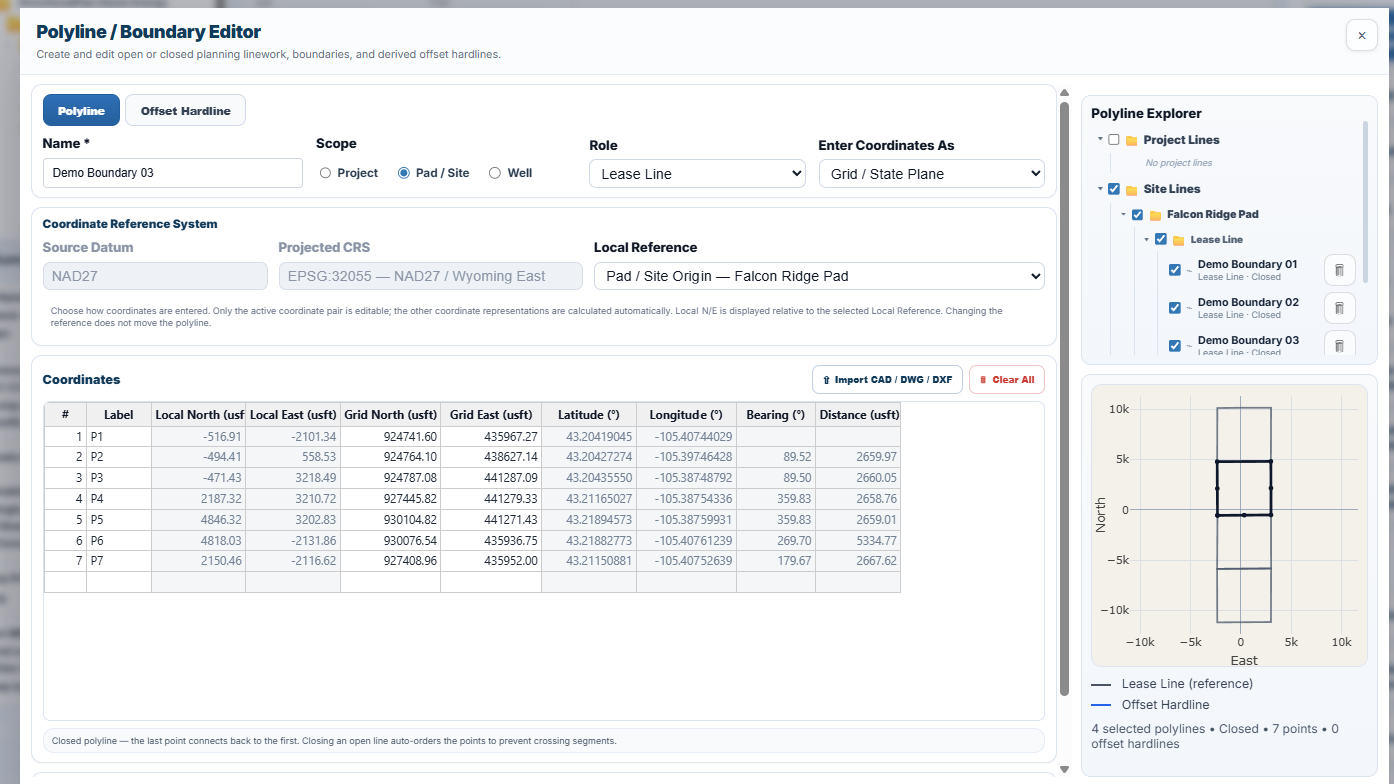
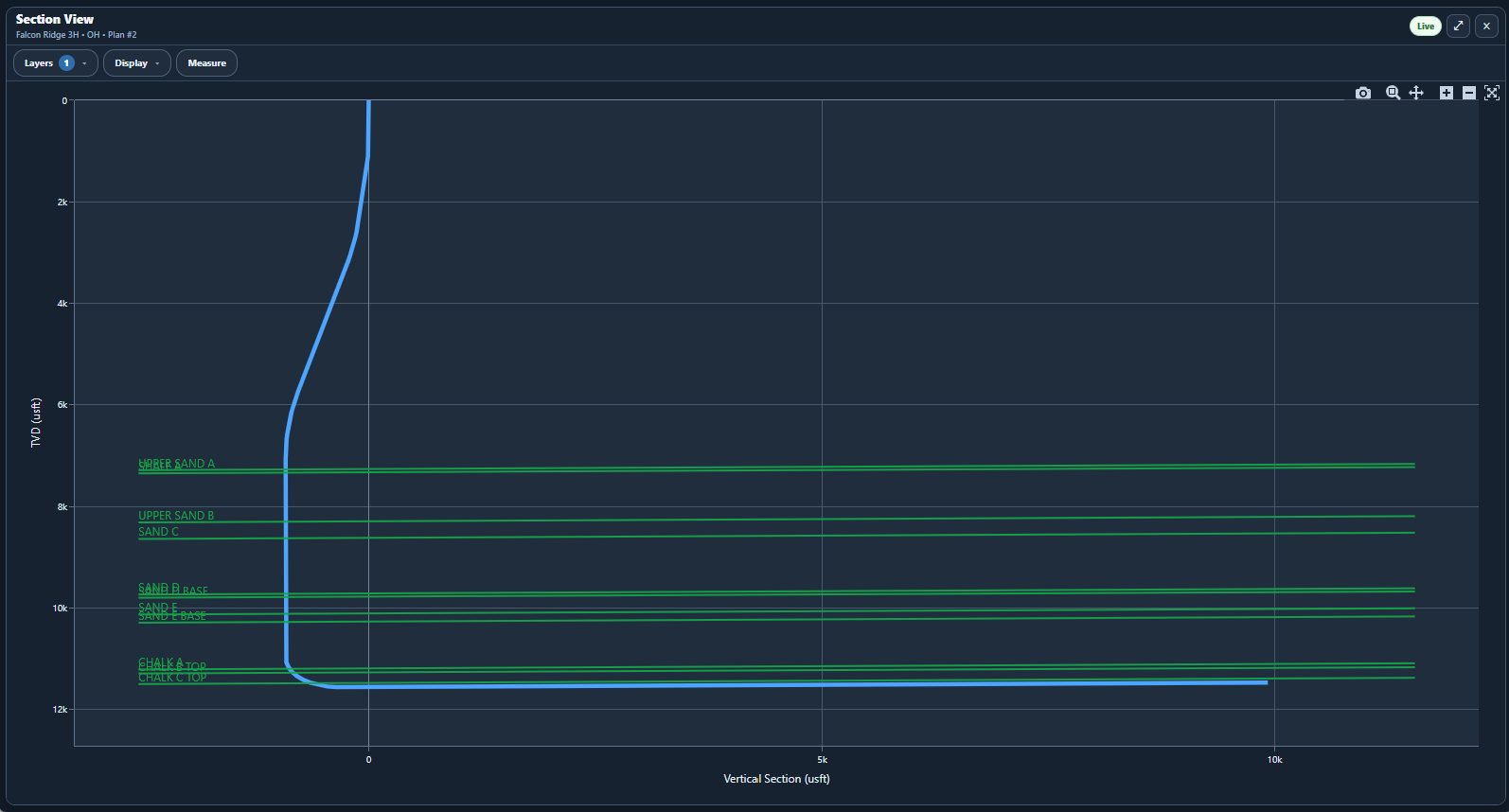
Planning Workspace
Plan Editor and Survey Calculations
Build directional well trajectories using dedicated planning methods or enter measured depth, inclination, and azimuth directly into the survey grid.
DirectionalPlan calculates true vertical depth, northing, easting, vertical section, and dogleg severity as you develop your plan. Review the resulting trajectory in Plan, Section, and 3D views.
Explore the Seven Planning Methods →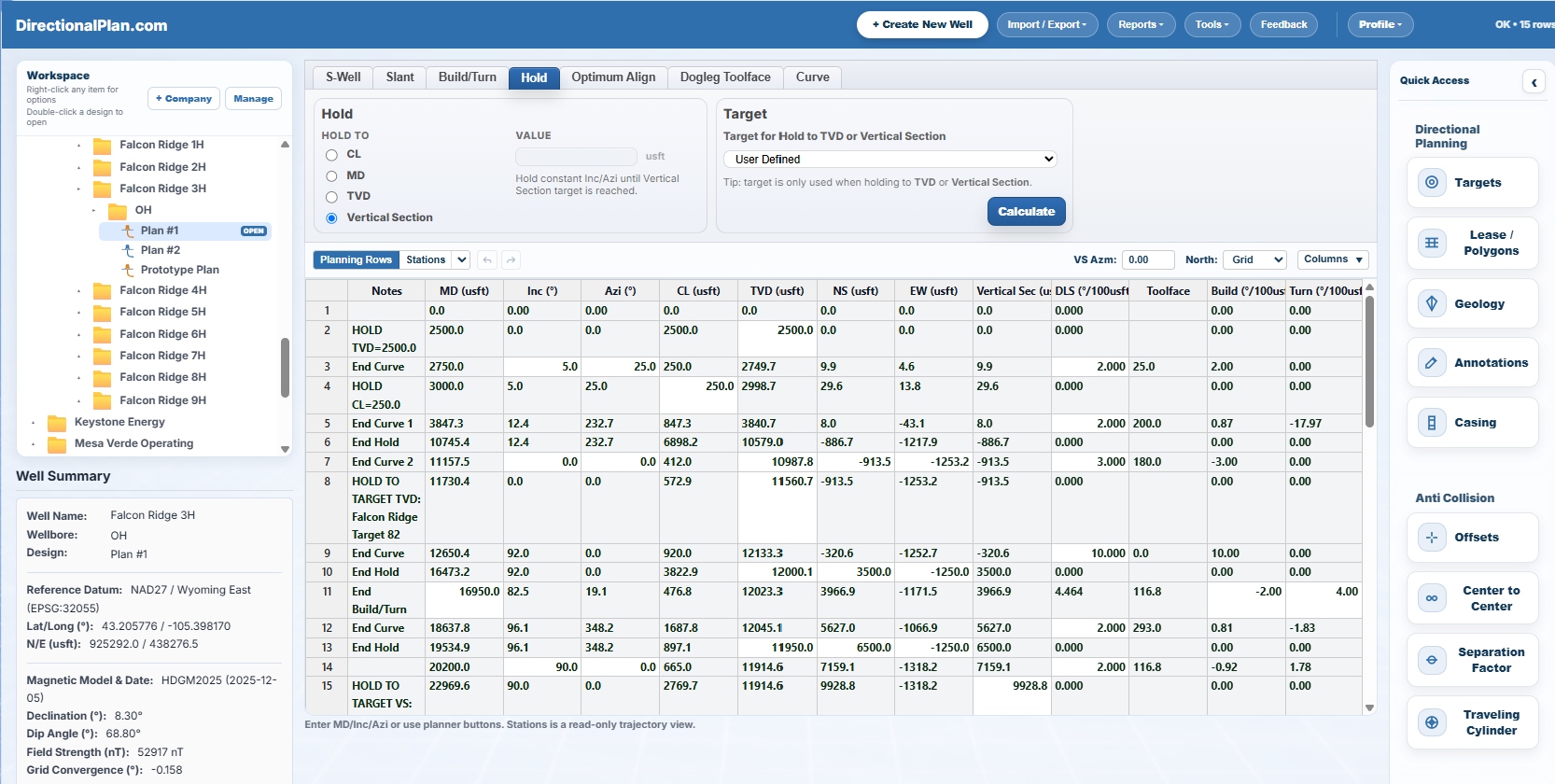
Trajectory Design Tools
Seven Planning Methods
Select a method to see its geometry and how it can be used in a directional plan.
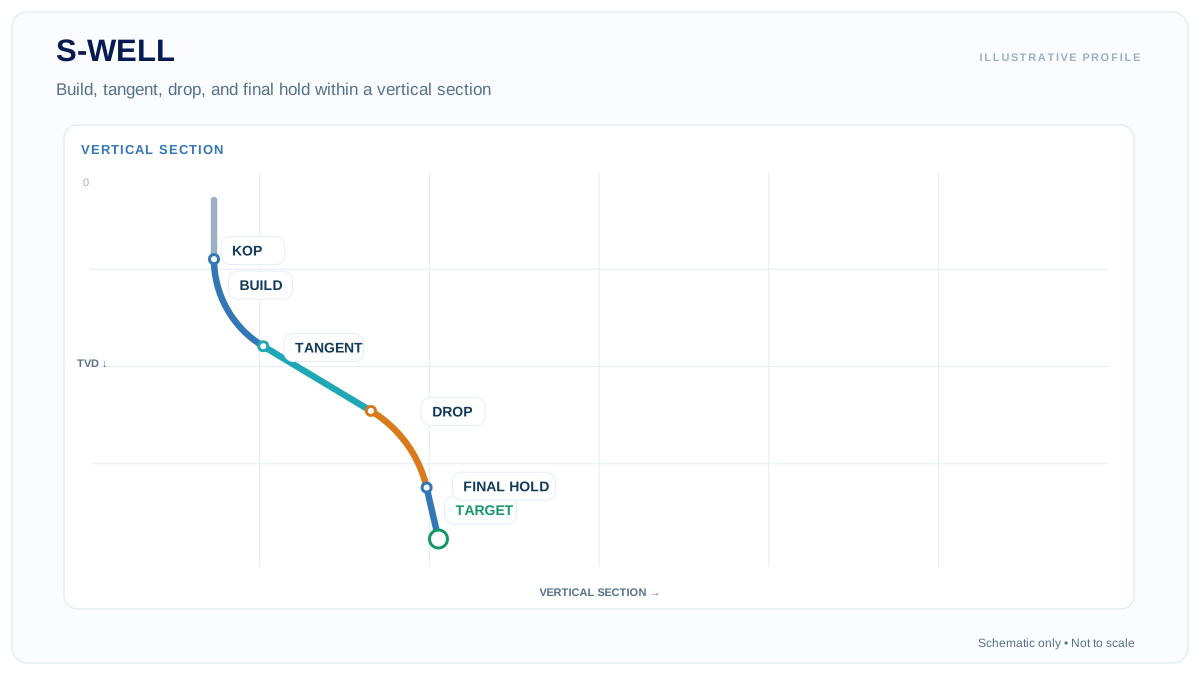
Build to an intermediate inclination, hold a tangent, then drop or build to a final inclination.
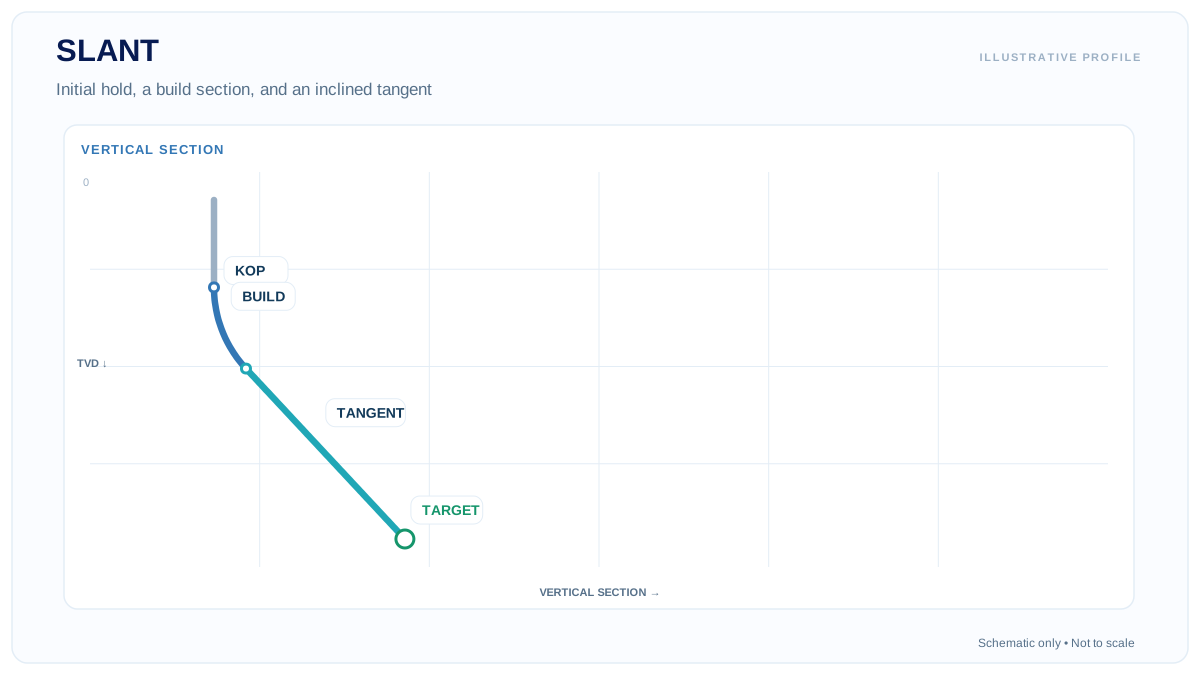
Hold vertically to the kickoff point, build inclination, and continue on a tangent toward the target.
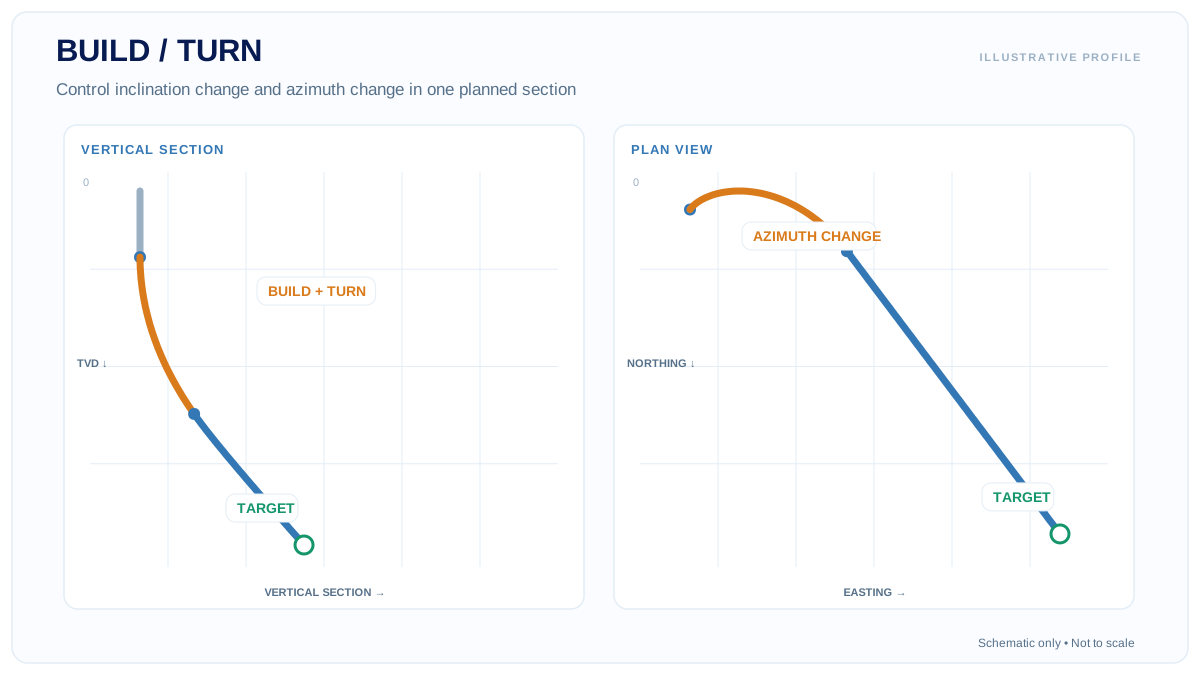
Design a three-dimensional section by specifying build and turn behavior and reviewing both section and plan views.
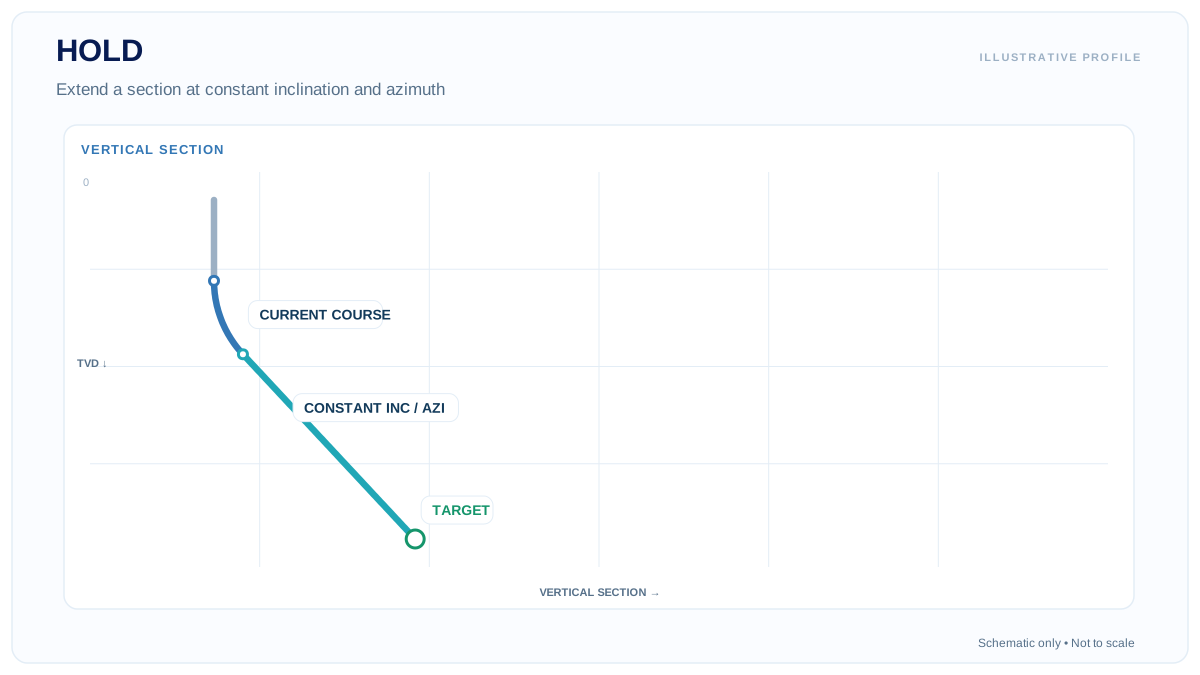
Extend the wellpath at constant inclination and azimuth, solving to course length, MD, TVD, or vertical section.
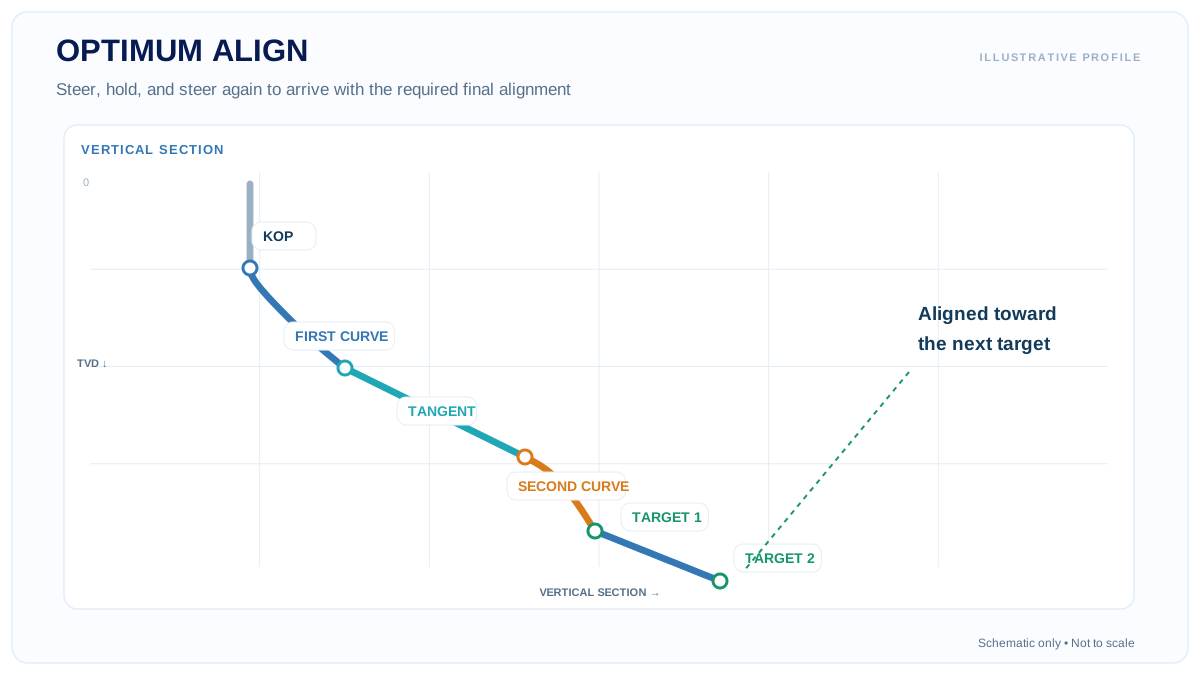
Connect steering curves and a tangent to reach a target with a specified final direction.
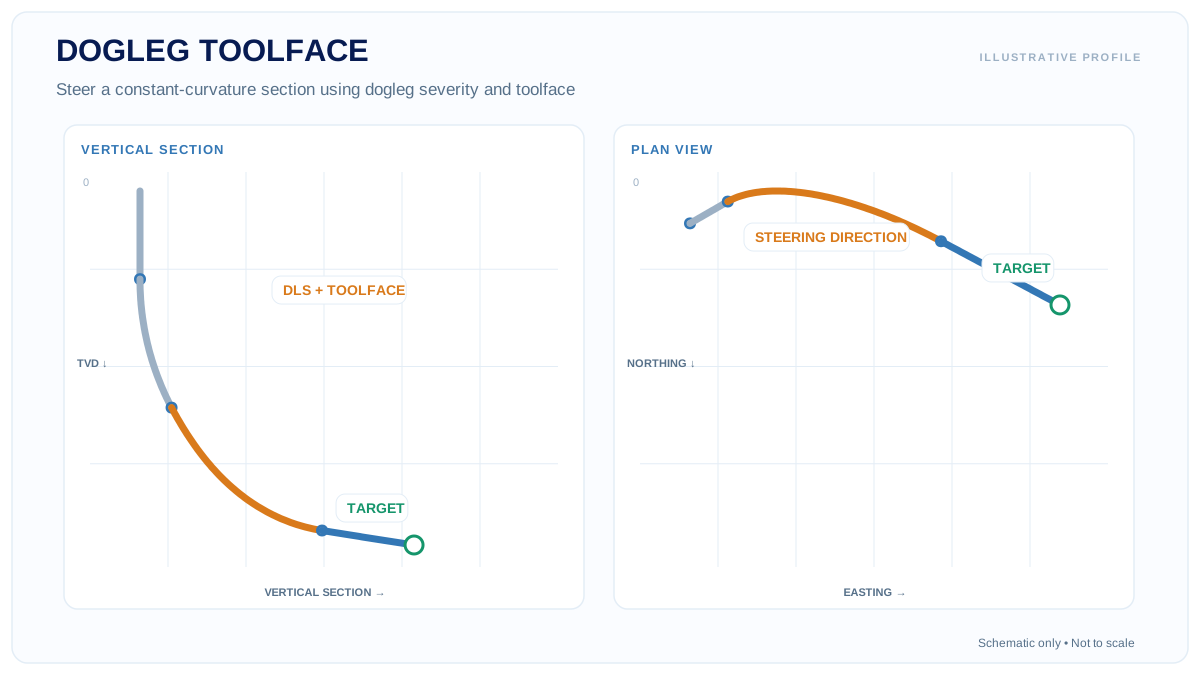
Construct a three-dimensional curve using dogleg severity and toolface orientation.
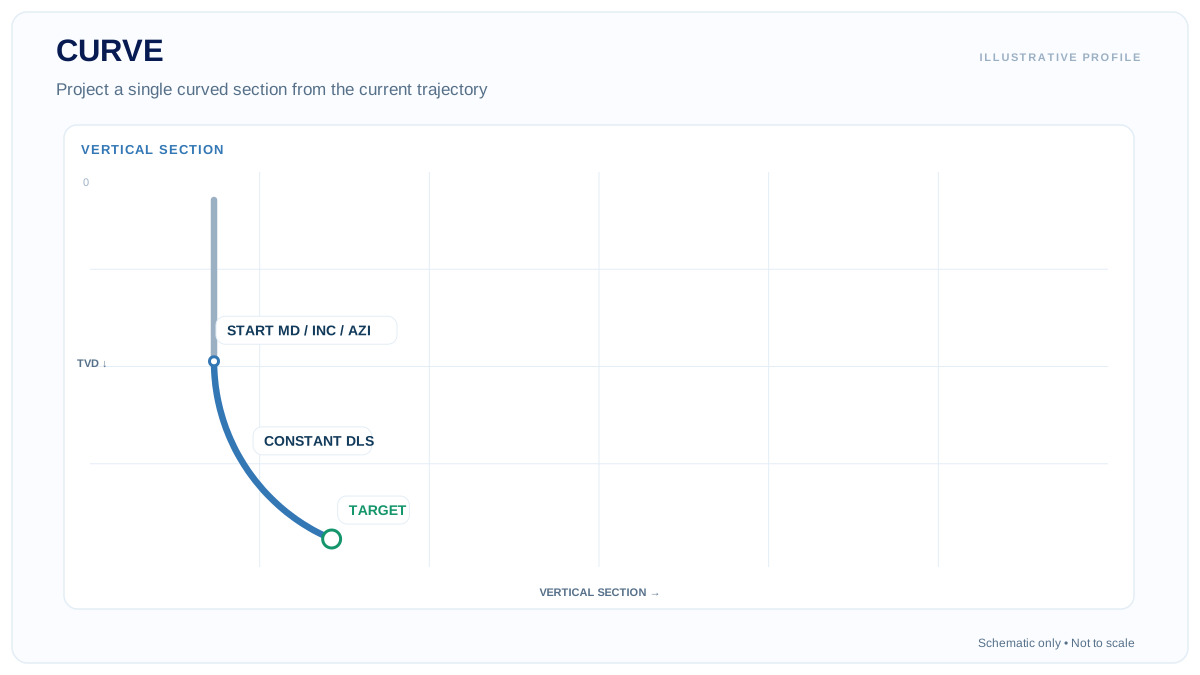
Project a constant-curvature section using combinations of MD, inclination, azimuth, TVD, and dogleg severity.
Multiple Designs & Sidetracks
Alternative Well Designs and Sidetrack Planning
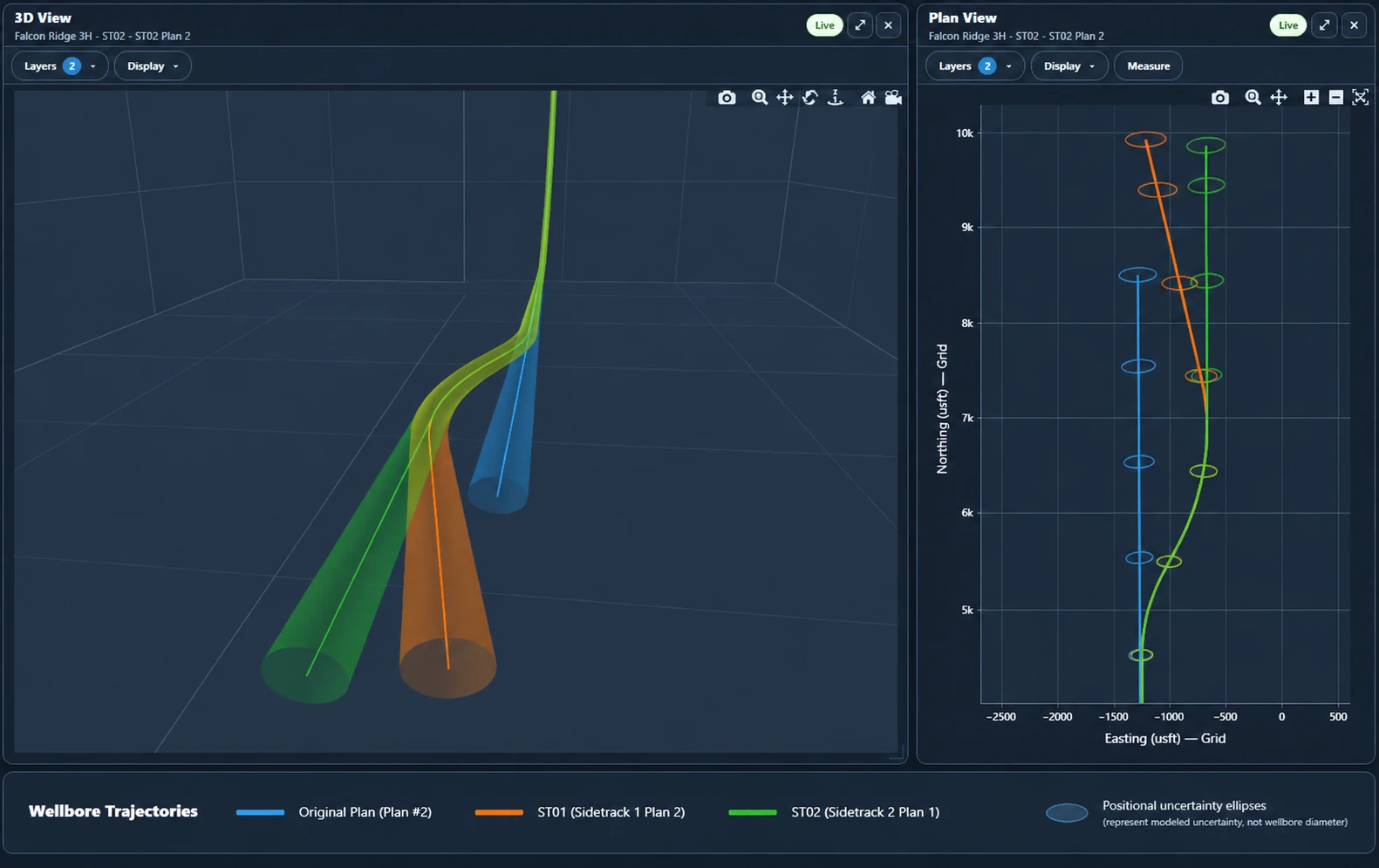
Create and compare multiple directional well plans within the same wellbore. Evaluate alternative trajectories before selecting a preferred design.
Develop sidetracks from existing wellpaths at a specified tie-in measured depth. DirectionalPlan also supports nested sidetracks, allowing additional departures from previously created sidetrack wellbores.
Compare parent and sidetrack trajectories in Plan, Section, and 3D views, with optional positional uncertainty visualization.
Open Demo →Get Started
Explore the Directional Well Planner
Open a sample well in your browser or explore the software tutorials to learn how DirectionalPlan works.