Open the CAD file
Load a supported DXF or DWG drawing into the viewer. The CAD file is opened for inspection and classification, not direct editing.
 Explore Demo
CAD Viewer & Boundary Import
Load DXF and DWG files into a read-only CAD viewer to inspect layers, raw coordinates, and drawing geometry before bringing selected linework into DirectionalPlan.
Group closed boundary segments, classify open linework, confirm the coordinate system, and import project geometry without modifying the original CAD drawing.
CAD Workflow
DirectionalPlan keeps the CAD workflow simple: open the drawing, inspect the geometry, group or classify the linework you want, confirm the coordinate system, then create a DirectionalPlan copy.
Load a supported DXF or DWG drawing into the viewer. The CAD file is opened for inspection and classification, not direct editing.
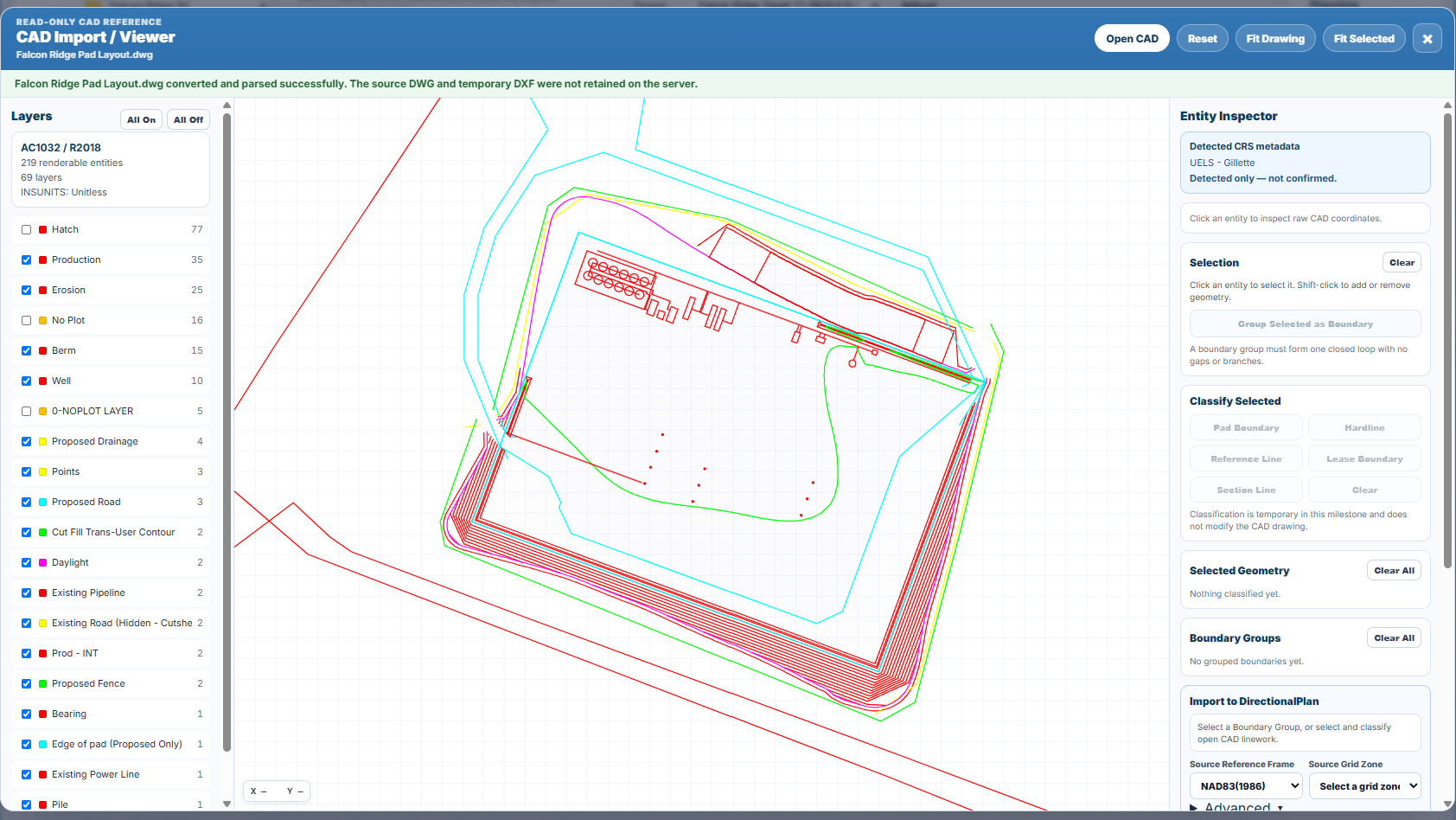
Review the drawing layers, click entities to inspect raw CAD coordinates, and verify that the geometry matches the location you expect.
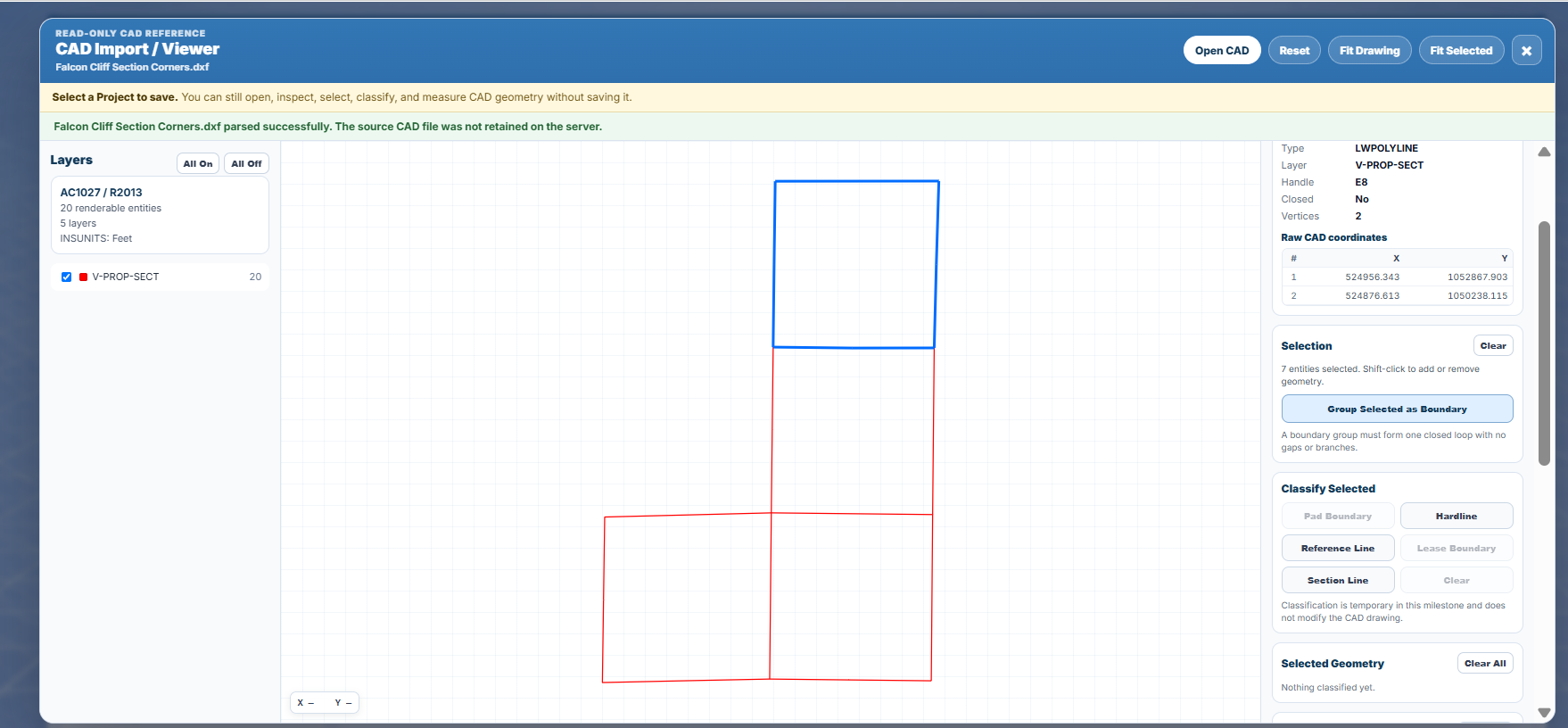
Combine selected closed segments into a boundary group, or classify open geometry as a hardline, section line, or reference line.
Set the source coordinate reference frame and grid zone, confirm the CAD coordinates, and import the selected geometry into DirectionalPlan.
Inspect the Drawing
The CAD viewer helps you inspect linework before it becomes part of your project. Toggle layers on and off, click entities to review their raw CAD coordinates, and select the geometry you want to work with.
Closed linework can be grouped into a boundary for import. This makes it easier to build lease boundaries, pad outlines, and section-based reference geometry from existing CAD files.
Import to DirectionalPlan
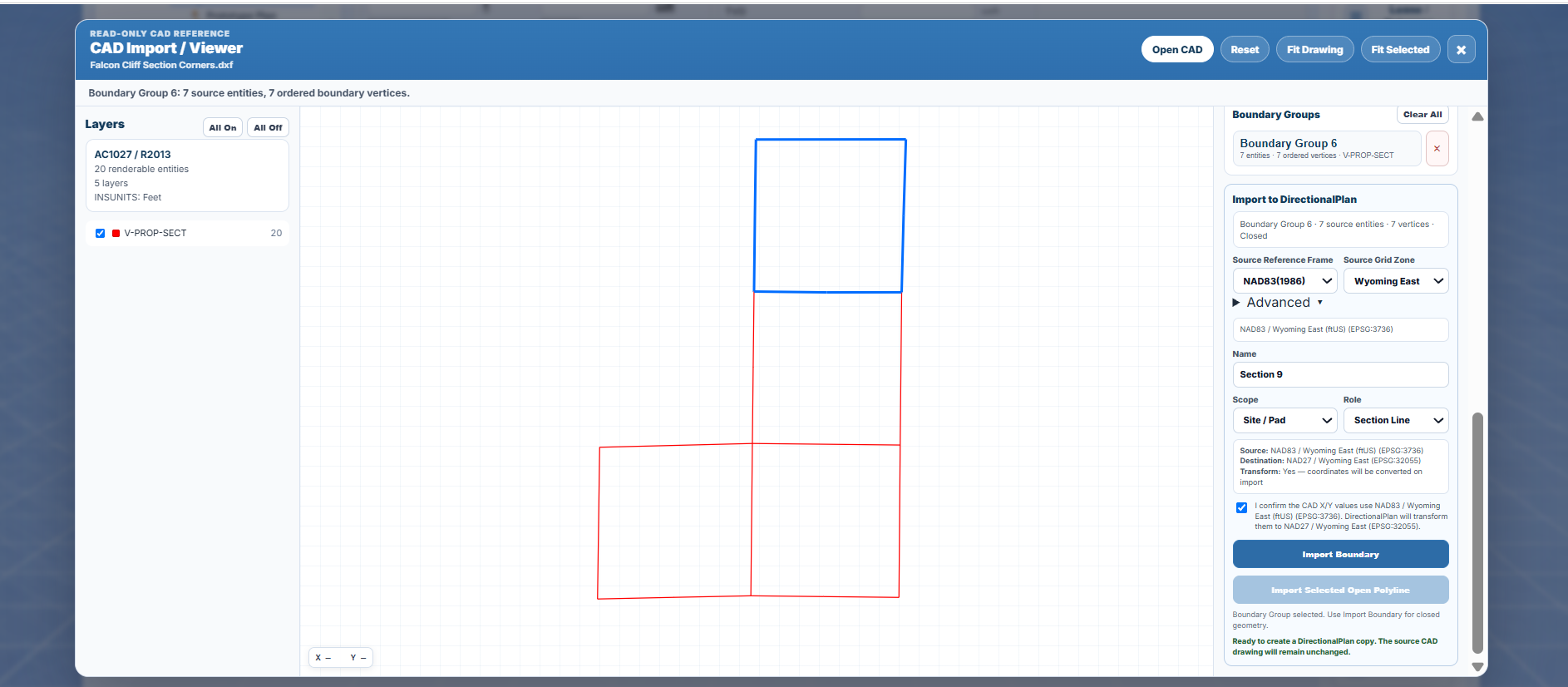
Before import, DirectionalPlan lets you specify the source reference frame and grid zone used by the CAD file. If the CAD geometry and the active project use different projected systems, DirectionalPlan can transform the coordinates on import.
Closed boundary groups can be imported as project geometry, while selected open linework can be imported as hardlines, section lines, or reference lines.
Import grouped closed geometry such as pad boundaries or lease outlines.
Import selected open geometry as hardlines, section lines, or reference lines.
Confirm the CAD source CRS and transform geometry when the destination project uses a different grid.
Imported Geometry
CAD import helps move important site geometry into DirectionalPlan so the drawing references you plan around can live with the rest of your engineering data.
Import surface outlines and planning areas for site layout reference inside your project.
Bring closed property or lease geometry into DirectionalPlan for planning context.
Import section-based reference geometry for planning, plotting, and spatial awareness.
Import important open surface references such as roads, corridors, or planning limits.
Preserve surveying or mapping references from CAD drawings directly inside your project.
Explore DirectionalPlan
DirectionalPlan helps you inspect imported linework, preserve coordinate context, and keep the original CAD drawing unchanged while building project-ready geometry.